fhd@battlesync.site
Introduction to Rent to Own Gaming Computer
Gaming has never been more exciting, but it has also never been more expensive. High-performance gaming computers cost thousands of dollars, and not everyone can afford to pay upfront. That’s where rent to own gaming computers come in. They offer an affordable and versatile option to gamer who desires to get a smooth graphic, quick loading times and an immersive game experience without having to spend a lot of money at a single time.
What is rent-to-own? Simply put, you agree to rent a gaming PC with the option of owning it after making a series of scheduled payments. Unlike leasing, where you return the product, rent-to-own allows you to keep the computer after the final payment. It’s like renting a high-performance gaming machine with the promise that it will eventually be yours.
What is attractive to gamers about this? Because gaming requires powerful hardware—think advanced graphics cards, top-tier processors, and fast storage drives. These are not cheap. With a rent-to-own plan, you can spread out the cost over months or even years while enjoying the latest gaming technology right away. This option is especially popular among students, young professionals, and anyone without the ability to drop $2,000+ on a gaming rig in one shot.
In this article, we’ll break down everything you need to know about rent to own gaming computers—from benefits and challenges to the best deals available. Are you a casual gamer in need of smooth frame rates or a streamer who needs a powerhouse? This guide will help you determine whether rent-to-own is the right option.
Benefits of Renting to Own a Gaming Computer
The biggest advantage of rent to own gaming computers is affordability. Not all can afford to purchase a top quality rig. You do not have to spend 2,000 at once as you can pay as low as 40-60 dollars a week, depending on the provider. This spreads out the financial burden and makes premium gaming accessible to more people.
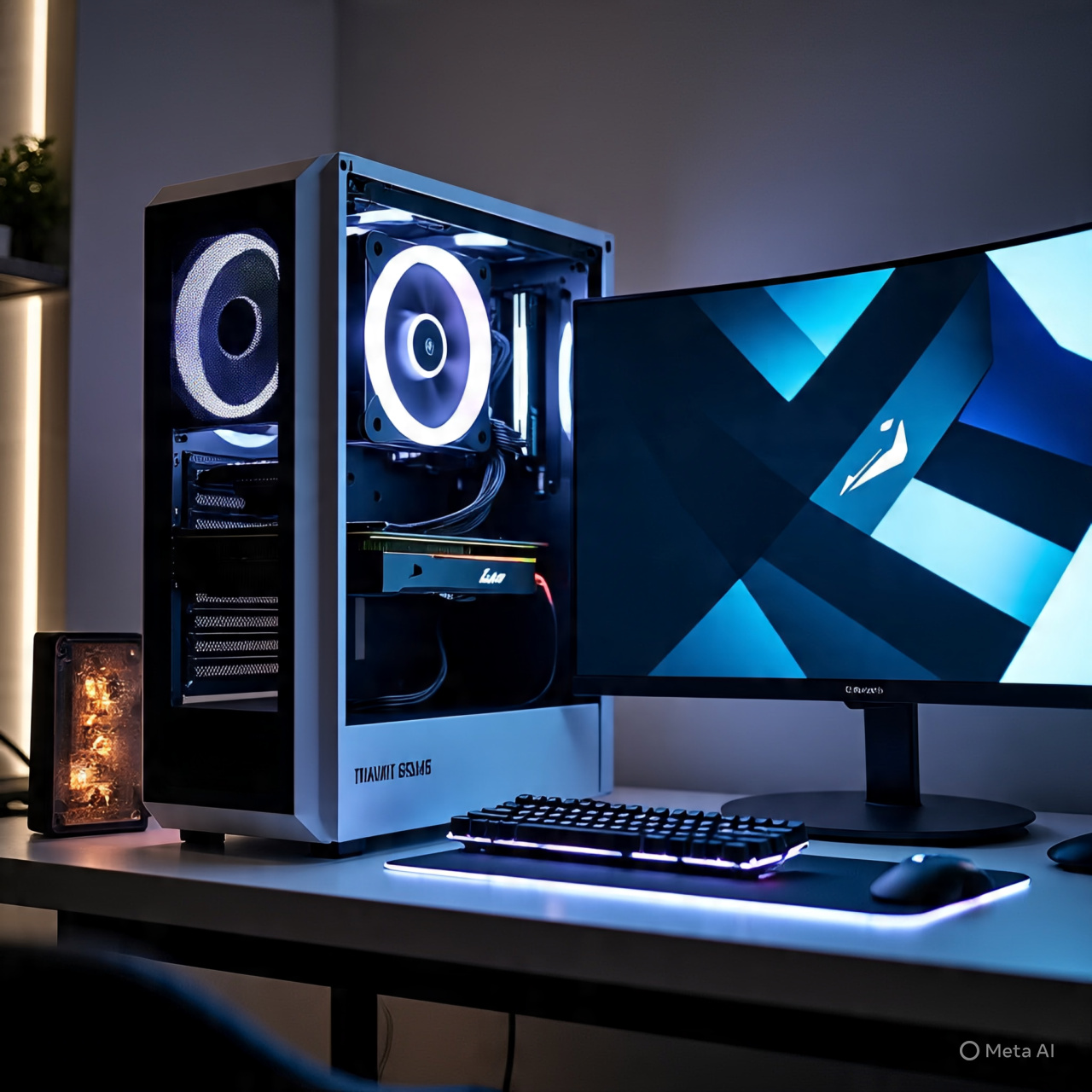
The other significant benefit is the availability of high-end hardware. Many rent-to-own providers offer the latest gaming setups, equipped with powerful GPUs like NVIDIA RTX 40-series or AMD RX 7000 cards, along with lightning-fast processors and SSD storage. This is the ideal solution to those gamers who desire top-of-the-line performance but are not able to pay upfront.
The other important advantage is flexibility Unlike a traditional financing, rent-to-own does not always require good credit history. Most providers approve applicants within a short time, and some without checking the credit. This makes it a viable option to students or young professionals who are creating their financial freedom.
Also, once you complete your payments, the gaming PC is yours to keep. You do not give it back as a rental, you own it. This is what rent-to-own is not as a leasing or subscription-based services is. You are not paying to use the machine, but rather you are investing in long-term ownership.
The last unrecognized advantage is simple upgrades A lot of providers offer to trade your current arrangement in to a newer one before the contract is over. This is especially useful in gaming, where hardware becomes outdated quickly. Consider the example of purchasing a GTX 1660 system and upgrading to an RTX 4070 without having to restart your financial progress- that is the type of freedom rent-to-own can provide.
The advantages are simply affordable, accessible, ownable and upgradable. If you’re serious about gaming but don’t want the financial stress of a big purchase, rent-to-own could be the path to your dream setup.
Challenges of Rent-to-Own Gaming PCs
While rent to own gaming computers sound like a dream come true, they’re not without drawbacks. The largest drawback is the total expenditure This is because you pay in small amounts and the overall cost that you pay is normally higher than the retail price. For example, a $1,500 gaming PC might end up costing you $2,200 or more after all payments are made. This is what it costs in financial flexibility.
The other challenge is limitations on contracts Rent to own contracts are often very stringent. Failure to make a payment may result in fines, repossession, or even the loss of all the money you paid out. You will not have complete control as it is with an outright purchase until the last payment is made.
There is also the question of who is to maintain it. Some of the providers will cover repair during the lease term and some of them do not. In case your GPU gives up or your PC overheats you may be required to pay out of your pocket unless your plan has a warranty. Make sure that you read the fine print before signing
The other risk is the risk of missing payments. If you lose your job, face unexpected expenses, or simply mismanage your budget, missing payments can hurt your credit and leave you without the gaming computer you were relying on.
Finally, although rent-to-own opens up high-end hardware to people, it is not always the most economical option to disciplined savers. By saving up, and purchasing it in full, you will save in the long term. Rent to own is not meant to be cost effective.
In brief, their challenges are increased overall cost, rigorous contracts, repair liability, and payment risk. Rent-to-own can make a world of difference to the cash-strapped gamer, but to make things work, one must be disciplined and have a plan.
Who Should Consider Rent to Own Gaming Computers?
Not all gamers will derive the same advantages out of rent-to-own. Who is the right candidate?
First, casual gamers who do not want to pay a lot up front can enjoy it. They might not require the top of the line hardware but would like to play some newer titles without hitch. Rent-to-own will enable them to have a good system and pay affordable payments.
Second, students and cost-conscious consumers are the most appropriate. Many college students can’t drop thousands of dollars at once, but with rent-to-own, they can still enjoy competitive gaming, streaming, or even using the computer for schoolwork. It is a method to have fun and functionality at the same time without straining the finances.
Third, rent-to-own is ideal to those with little credit history. Conventional financing normally involves a credit examination, although most rent-to-own services do not. This makes it possible for young adults or individuals rebuilding their credit to access a gaming PC without rejection.
But professional gamers or streamers may not like rent-to-own as much in the future. They rely on the best performance every single day, and therefore it might not be sensible to pay above the retail prices. Rather, it would be more sensible to finance or purchase.
Rent-to-own is also effective to those who require a short term solution. For example, if you’re testing whether gaming is the right hobby or planning to upgrade later, this option gives you flexibility without permanent commitment.
In short, rent-to-own gaming PCs are best suited for budget-conscious buyers, students, casual gamers, and those with limited credit. If you fall into these categories, rent-to-own could be the ticket to enjoying high-performance gaming without financial headaches.
Key Features to Look for in a Rent to Own Gaming Computer
When you are going the rent-to-own way do not just pick the first deal that you see. You need to make sure the system has the right features for gaming. Otherwise, you might find yourself in a contract with old or weak hardware.
To start with, pay attention to the graphics card (GPU). This is the heart of any gaming computer. To play smoothly in 1080p, NVIDIA GTX 1660 or RTX 3050 cards are good. For 1440p or 4K gaming, you’ll want at least an RTX 3060 Ti, RTX 4070, or AMD RX 6700 XT. The GPU is the single most important factor in gaming performance, so don’t compromise here.
Then there is the processor (CPU). Intel’s i5/i7 or AMD Ryzen 5/7 are the sweet spots for gaming. They are well priced and offer good performance so that your machine will not choke during intense gaming.
Then there is RAM and storage. At minimum, aim for 16GB RAM for modern gaming. An SSD is a necessity in terms of storage. A 500GB SSD is enough to start with, but 1TB is preferable in case you run several large games such as Call of Duty, Red Dead Redemption 2, or Cyberpunk 2077.
The monitor and refresh rate should not be ignored. Most rent-to-own arrangements come with peripherals such as monitors, keyboards and headsets. Make sure you have a monitor with at least a 144Hz refresh rate when you are into competitive games, as this will provide you with smooth gameplay.
Lastly, look at upgrade options. Is it possible to to BIOS swap the GPU at a later date? Is it possible to Directly insert more RAM? A gaming PC that’s upgradeable will last much longer than a locked-down system.
In short, the must-have features in a rent-to-own gaming PC are:
- Good GPU (RTX/AMD equivalent)
- Powerful CPU (Intel i5/i7 or Ryzen 5/7)
- 16GB RAM minimum
- SD storage (ideally 1TB)
- 144Hz+ monitor (for competitive gaming)
Having these features means that you will not feel trapped into a contract with a poor system.
Best Rent to Own Gaming Computer Options Available
Now that we’ve covered the must-have features, let’s talk about where you can actually find the best rent to own gaming computer deals. The silver lining is that this market has grown at a high rate such that both traditional stores and online shops provide easy payment schemes.
Aaron Rent-to-Own is one of the most popular sources. They specialize in electronics and appliances, including gaming PCs and laptops. Aaron’s offers a weekly or monthly payment without a long term commitment, so it is possible to hand the product back anytime you can no longer afford it. Such flexibility is appealing to individuals who are not sure whether they are ready to make a commitment.
Rent-A-Center (RAC) is another famous alternative. They provide a wide range of gaming desktops and laptops, often bundled with monitors, gaming chairs, or headsets. The main benefits of Rent-A-Center are that they often have promotions, which allows you to get a discount on your payment plan.
Two available platforms that online shoppers can use include Progressive Leasing and FlexShopper. They also cooperate with such big retailers as Best Buy, Walmart, and Newegg and provide their customers with a flexible rent-to-own program. It is easy to order online and have the PC delivered right to your doorstep.
If you prefer custom-built gaming PCs, providers like Xidax and iBUYPOWER sometimes collaborate with financing and rent-to-own services. This is a very good option in case you desire a customized rig with RGB lighting, liquid cooler, or other high-end capabilities.
The answer to this question is dependent on your budget, whether you want a custom PC or a prebuilt PC, and the flexibility of payment plan. As an example, students may tend to use the FlexShopper due to the low prices, whereas streamers would use the iBUYPOWER because of the customizability.
The tip is to compare the cost of the whole item, upgrade and warranty that is included in the agreement before signing any. Not every rent-to-own is a good deal, some can sound inexpensive but when all is said and done, actually cost much more.
How the Rent-to-Own Process Works for Gaming PCs
A rent to own transaction may seem a bit confusing the first time you do it. However, when it is dismantled it is actually not that complex.
- Choose Your Gaming PC – You start by selecting the gaming desktop or laptop you want, either in-store or online. A lot of retailers display total cash price and weekly or monthly rental rates
- Application & Approval- You will be required to complete an application. In contrast to conventional financing, rent-to-own often does not demand a good credit history. The majority of providers just require the proof of income and ID. Approval can be immediate
- Payment Structure – You will sign up to a payment arrangement, which may be weekly, bi-weekly or monthly. In some companies, you have an option of making a choice depending on the budget you are having.
- Ownership Terms- Rent-to-own is different in that you can decide to turn in the PC at any time (cancelling the contract) or continue to pay your payments until you can finally own it. Once the last payment is made, the gaming computer is yours.
- Early Buyout Option – Many rent-to-own contracts offer a discount if you decide to pay off the computer early. As an example, you may only pay the retail price and a small fee when you pay it off the first 90 days. This may save you hundreds in comparison to payments on the whole term.
- Upgrades & Returns- With some providers you can upgrade your system during the contract and upgrade to a better system. Others can give you an opportunity to give back the PC in case you are no longer interested in it- something that you cannot do with financing or other forms of loans.
Here is a simplified list of how the process works:
- Day 1 → Pick your gaming PC
- Day 1-7- Fill out application & get approved
- Week 1 → Begin to make weekly/monthly payments
- Months 3-24 2. Pay or purchase out early
- Final Payment → PC turns to 100% yours
The overall lesson is that rent-to-own is flexible and gives control. This is not a locked in loan, and you do not need ideal credit. Nevertheless, it is always advisable to read the fine print- including the total cost should you use the full term.
Rent-to-Own Gaming Laptops vs. Desktops
One important decision to make is whether to go for a gaming laptop or a gaming desktop under a rent-to-own plan. Both options have their pros and cons, and the right choice depends on your lifestyle and gaming needs.
Gaming Desktops:
Pros:
- Hardware more powerful at the price
- More convenient to upgrade (replacement of GPU, RAM, storage)
- Better cooling systems for long gaming sessions
- Longer lifespan on in the whole
Cons:
- Not portable
- Takes up additional space
- Needs additional monitor and peripherals
Gaming Laptops:
Pros:
- Portable- good with students or frequent travelers
- All-in-one configuration (screen, keyboard, and trackpad are incorporated)
- Able to play current games even with RTX 40-series laptops
Cons:
- More difficult (impossible) to upgrade
- They run hotter than desktops
- Costlier at an equivalent level of performance
Desktops are also usually better suited to hardcore gamers or streamers. It is more powerful, customizable and future proof. A laptop, on the other hand, will be more appropriate in case you are a student, a professional, or someone who plays on the move, but you will compromise some performance and upgradeability.
Desktops are also cheaper to rent-to-own in the long-term due to upgradeability. You do not have to change the entire system, but you can simply upgrade the video card or add some RAM. On laptops, when it becomes obsolete you will probably have to upgrade the whole machine.
In short:
- A desktop is the choice when raw power, future upgrades, and long-term value are required.
- Get a laptop when size and transportability are more important than pure power.
Tips for Getting the Best Deal on Rent-to-Own Gaming PCs
Rent-to-own contracts may be very different, and, without a proper approach, you are likely to spend much more than you should. Here are some clever ideas so that you can get the best bargain possible:
- Shop around Providers- Do not settle on the first rent-to-own store you see. Compare costs, contract term, and buyout terms across various companies.
- Check Early Payoff Options – A lot of providers allow you to pay the PC off early at a discounted price. This can save you a lot of money later on in case you have the cash.
- Watch Out for Hidden Fees – You should enquire about late payment penalties, service fees and insurance costs. These low prices may accumulate over time
- Ensure the Specs are Good –Do not hire a PC with old specs just because it is flashy. Make sure it has at least a mid-tier GPU, solid processor, and enough RAM for modern gaming.
- Negotiate – It may be hard to believe but there are stores where you can negotiate on weekly payments or even the contract terms. It is not bad to negotiate a better offer.
- Bundle Smartly Some providers allow monitors, chairs, or accessories to be included in the rent-to-own bundle. Be careful not to pay too much on extras that you do not need.
- Read Reviews- Before you commit, find customer reviews of the provider. This prevents shady companies with unjust contracts.
Using these tips, you can keep out of typical mistakes and make the most out of your rent-to-own plan. Remember: the goal is to enjoy gaming now without regretting the payments later.
Hidden Costs to Look Out For
While rent to own gaming computers make high-end setups more accessible, many buyers overlook the hidden costs that sneak into these contracts. Otherwise you may find yourself paying much more than you thought you would. So what are the biggest hidden costs that you need to know about?
First, there are penalties on late payment. One missed weekly or monthly payment can lead to additional charges. Some companies will even charge you reinstatement fees in case your contract is canceled and you want to resume. These fees will accumulate with time and the total cost may be very high.
Second, are the repair and maintenance expenses. Damages or hardware problems may not be covered by all providers As an example, in the event that your graphics card breaks down after six months of the contract, you may have to foot the repair costs unless you bought an extended protection plan. This may be a deal killer especially when you are already running on a tight budget.
Third, beware of required insurance or extended warranties. With some rent-to-own, you may be required to take out insurance against theft, damage or loss. This protection may be helpful but it may also raise your monthly payment by $10-20. Add that up over a two year period and that is hundreds of dollars tacked on to your bottom line.
Fourth, there can be a surprise cost on the amount of money you have to pay back and also the cost of restocking. Although rent-to-own contracts give you the ability to give back the items, some companies levy a fee on the same. This implies that in case you find that the PC is not suitable to you, you will lose money in the process.
Finally, take into account the electricity and accessory expenses. High-performance gaming PCs consume more power, which can raise your energy bill. Plus, you may end up buying additional peripherals—gaming keyboards, headsets, or upgraded monitors—that aren’t included in the base contract.
To prevent such hidden costs:
- Ask to see a full breakdown of the contract in writing.
- Enquire on whether repairs are covered and the kind of warranty that is provided.
- Plan to spend on accessories and possible upgrades.
- To avoid late fees, stay on top of payments.
Taking a proactive approach will ensure that you avoid financial surprises and keep your rent-to-own experience easy on the pocket.
Alternatives to Rent to Own Gaming Computers
Rent-to-own isn’t the only way to get your hands on a gaming PC. Depending on the financial status, there are other options that may be more cost effective in the long term.
One of them is retail financing or credit financing Retailers such as Best Buy, Newegg, and Micro Center frequently provide 0 percent interest financing over a specified time frame in the event that you qualify. This allows you to pay over time, but without paying more than the retail price- unlike rent-to-own, which charges additional fees.
An alternative is leasing Unlike rent-to-own, leasing does not result in ownership, but is technically a renting of the machine over a specific period of time. While this means you won’t keep the PC, it works well if you only need a gaming rig temporarily (for example, during college or while traveling).
A popular alternative is building your own gaming PC. With some technical expertise, it can cost several hundred dollars less to build your own rig than to purchase one. And you can select all the parts–GPU, CPU, cooling, and case design–so it is customized to your needs.
For budget-conscious gamers, refurbished or pre-owned gaming PCs are also worth considering. Good used machines can also be found through many reputable sellers who refurbish machines with brand new parts and sell them at substantial discounts. The fact that you pay in advance means that you do not incur contracts and other additional costs.
Unless you really like to have the latest PC, it might be smarter to finance or assemble your own PC in the long-term. However, when it is more vital to be more flexible than to save money, then rent-to-own still makes its way.
Real-life Experiences of Gamers on Rent-to-Own PCs
In a bid to comprehend how the rent-to-own really works in practice, it is useful to consider real-life experiences of gamers who have tried this. These narratives point out the advantages and the problems.
Take Alex, a college student, who couldn’t afford a $1,500 gaming desktop upfront. He chose a plan of renting a $50-per-week at Rent-A-Center. However, being able to pay the bill on a weekly basis, he paid approximately $2,100 in two years, which means that he could game, stream, and do schoolwork without being financially pressed. To Alex the convenience was more worthwhile than the extra total cost.
Then there’s Mia, a part-time streamer, who went with a rent-to-own gaming laptop. She liked its portability but soon found that the laptop GPU was not powerful enough to stream Cyberpunk 2077. She upgraded to a desktop half way through her contract with her provider, but that reset her payments as well. She confesses it was costly but the flexibility of upgrade was worth it all to her
On the other side, James who is a full-time employee did not like his rent-to-own deal. He chose a mid-tier gaming PC with a $40 weekly payment plan. He lost the machine after some months of losing his job and failing to pay up. He not only lost money on the missed payments, but he also had nothing to show after it.
These examples highlight an important truth: rent-to-own gaming PCs can be a lifesaver for some and a money trap for others. Your success will be based upon your financial stability, discipline in payments, and how well you can select the correct system initially.
Read these stories to get inspired about rent-to-own. Ask yourself:
- Will I be able to regularly cover payments?
- Do I select the right PC set to my needs?
- Will the flexibility justify the greater total cost?
Just be truthful in answering these and you can avoid making the same mistakes.
Future of Rent to Own Gaming Computers
The rent-to-own market for gaming PCs is evolving rapidly, driven by both technology trends and shifting consumer behavior. As gaming continues to grow globally, rent-to-own providers are adapting to meet the demand.
One major trend is the rise of cloud gaming. Platforms like NVIDIA GeForce NOW and Xbox Cloud Gaming allow players to stream games without needing ultra-powerful hardware. Nevertheless, hardcore gamers continue to use local power in terms of competitive performance. Rent-to-own providers may start bundling cloud gaming subscriptions with PCs, offering hybrid solutions.
The other evolution is more flexible payment models Rather than weekly or monthly plans, providers are trying on-demand payments, “pause” options, and adjustable contracts. This renders rent-to-own more attractive to individuals who have inconsistent incomes.
Innovation is also being driven by technology Since GPUs, CPUs and storage are evolving at a blistering pace, there is a chance that rent-to-own companies will establish mid-contract upgrade programs, so that gamers can always access the latest and greatest performance without having to restart their payments completely.
The global gaming boom also plays a role. As esports and streaming are becoming billion-dollar markets, the PCs that are high-performance are in high demand. Rent-to-own helps dreaming gamers and streamers to obtain the equipment they desire without having to wait years to save money.
In the future, rent-to-own firms will be more competitive, with better deals, fewer hidden costs, and bundled benefits such as game passes, accessories, or even financing toward VR equipment.
The future of rent-to-own gaming PCs is about accessibility and flexibility. As gaming becomes more mainstream, this option will likely continue to grow as a bridge between affordability and high-end performance.
Conclusion
A rent to own gaming computer can be a game-changer for anyone who wants to dive into immersive gameplay without spending thousands upfront. It is flexible, easily accessible and promises ownership, which makes it a perfect choice among students, casual gamers and those who want to buy at a lower price.
But it is not ideal. You will end up paying more in the long term and hidden expenses may be involved without paying too much attention. Rent-to-own is a good idea when you are informed about the conditions, when you keep up with payments, and when the system that you choose is the right specification to suit your requirements.
If you’re disciplined and strategic, rent-to-own can be a smart way to get your dream gaming setup today—without waiting years to afford it.
FAQs
- Is rent-to-own worth it for gaming PCs?
Yes, when you need the flexibility and instant access to a powerful PC, but you do not want to spend money upfront. However, you will pay more in the long-term than purchasing outright.
- Can I upgrade parts on a rent-to-own plan?
It is provider dependent. Some permit upgrades and others force you to complete payments. Always enquire before committing yourself to sign
- Do I need good credit for rent to own gaming computers?
No, credit check is not required by most providers. This renders it affordable to individuals who have poor credit history or limited credit history.
- What will be the consequence in my event of defaulting?
You can lose the PC and already paid money. Other providers do not offer returns, but you will not be refunded older payments.
- Which are the best rent to own deals?
Among the more popular ones are Rent-A-Center, Aaron’s, FlexShopper and Progressive Leasing. Shop around comparing online and in-store before you buy.